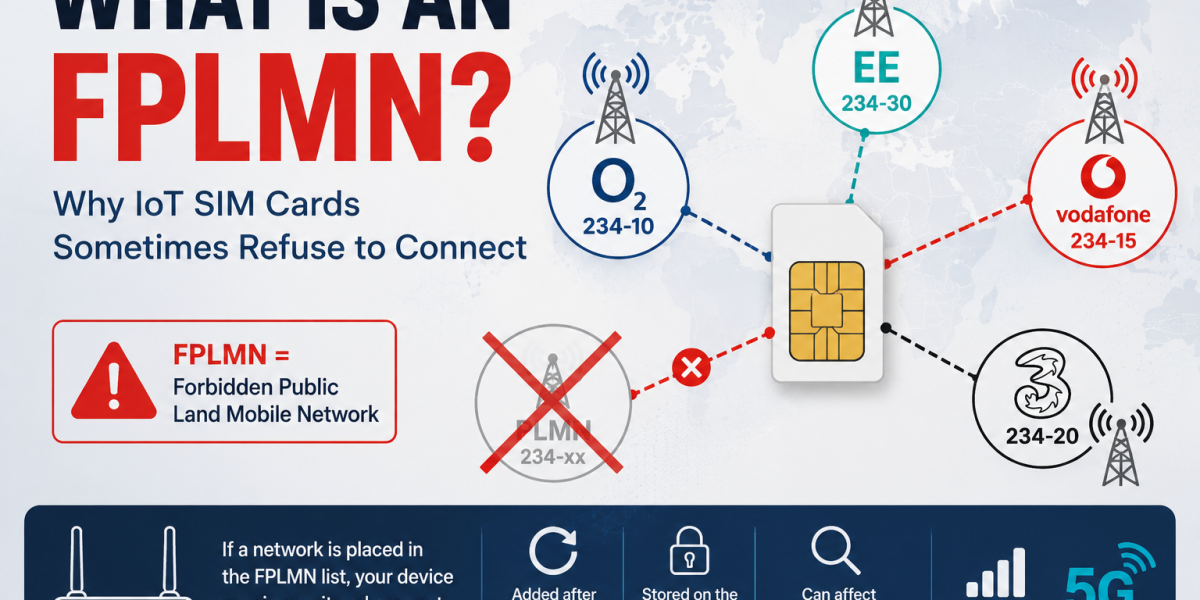
One of the least understood causes of connectivity problems in industrial routers and IoT devices is the FPLMN list.
Many engineers spend hours investigating signal levels, SIM cards and network coverage, only to discover that the modem has silently blacklisted the network it should be using.
Understanding FPLMN behaviour is essential for anyone deploying roaming IoT SIM cards.
What Does FPLMN Stand For?
FPLMN stands for Forbidden Public Land Mobile Network.
An FPLMN is a network that the SIM or modem has marked as unavailable and should no longer attempt to connect to.
Think of it as a blacklist of mobile networks.
If a network appears in the FPLMN list, the modem may completely ignore it during automatic network selection.
Why Does an FPLMN Exist?
The FPLMN mechanism exists to speed up network registration.
Imagine a device in France can only connect to one of four available networks.
Without an FPLMN list, the modem might repeatedly try all four networks every time it reconnects.
Instead, networks that reject registration are added to the forbidden list so the modem can focus on networks that are more likely to succeed.
In theory this improves connection speed.
In practice it can sometimes cause problems.
How Does a Network End Up in the FPLMN List?
A PLMN may be added to the forbidden list when:
- The SIM is not activated
- Roaming is not permitted
- A network rejects registration
- The device is used in an unsupported country
- Temporary network issues occur
- The modem firmware behaves incorrectly
The exact behaviour depends on the modem and firmware version.
The Hidden Problem with Roaming IoT SIMs
This is where things become interesting.
Many roaming SIM providers advertise automatic network switching.
While this is generally true, the reality is often more complicated.
Imagine an IoT router connects to EE in the UK.
EE experiences a temporary issue and the modem fails several registration attempts.
The modem may add EE’s PLMN to its FPLMN list.
Now EE is effectively blacklisted.
The router may move to Vodafone or O2 and continue operating.
However, if the preferred network later becomes available again, the modem may refuse to try it because it remains in the forbidden list.
This behaviour is one reason why some roaming SIM deployments appear to become “stuck” on a particular network.
Why Ping Reboots Don’t Always Fix the Problem
Many industrial routers include a ping reboot feature.
This is useful when connectivity is lost.
However, a ping reboot often only restarts the router software.
In some cases the modem retains its FPLMN information.
The result is:
- Router reboots
- Modem reconnects
- Same network selection problem remains
This explains why some installations continue to experience connectivity issues despite multiple automatic reboots.
Signal Reboots vs Ping Reboots
Many engineers have noticed that signal-based modem resets can be more effective than simple ping reboots.
This is because a modem reset may force a fresh network scan and PLMN selection process.
Depending on the modem and firmware, this can help recover from FPLMN-related issues.
However, behaviour varies significantly between manufacturers and modem chipsets.
How Can You Check the FPLMN List?
Advanced users can often access the FPLMN list using AT commands.
The exact method varies between modem vendors.
Many modules expose the EF-FPLMN file stored on the SIM, allowing engineers to:
- Read the current list
- Verify blacklisted networks
- Clear the list during troubleshooting
Some modem manufacturers also provide diagnostic tools that display forbidden networks directly.
How Is This Related to PLMNs?
An FPLMN is simply a PLMN that has been marked as forbidden.
If you are unfamiliar with PLMNs, start with our guide:
What Is a PLMN? Understanding Mobile Networks, Roaming and IoT SIM Cards
Understanding both concepts together makes troubleshooting roaming behaviour much easier.
What Should Businesses Know?
Businesses deploying:
- CCTV systems
- Building management systems
- Smart meters
- Vehicle tracking
- Industrial automation
- Environmental monitoring
should understand that roaming does not always mean seamless automatic failover.
Real-world network selection depends on:
- SIM configuration
- Roaming agreements
- Modem firmware
- PLMN priorities
- FPLMN behaviour
Ignoring these factors can lead to intermittent connectivity problems that are difficult to diagnose.
Summary
An FPLMN is a Forbidden Public Land Mobile Network.
When a modem repeatedly fails to register on a network, that network may be added to the FPLMN list and excluded from future connection attempts.
While this behaviour helps reduce unnecessary registration attempts, it can also cause devices to become stuck on suboptimal networks or fail to reconnect after temporary outages.
For organisations deploying roaming IoT SIM cards, understanding FPLMNs is essential for effective troubleshooting and realistic expectations of automatic network switching.
For a broader understanding of roaming connectivity, read our guide:
IoT Roaming SIM Cards & M2M SIMs: The Complete Guide
Leave a Reply