BMS data usage calculator
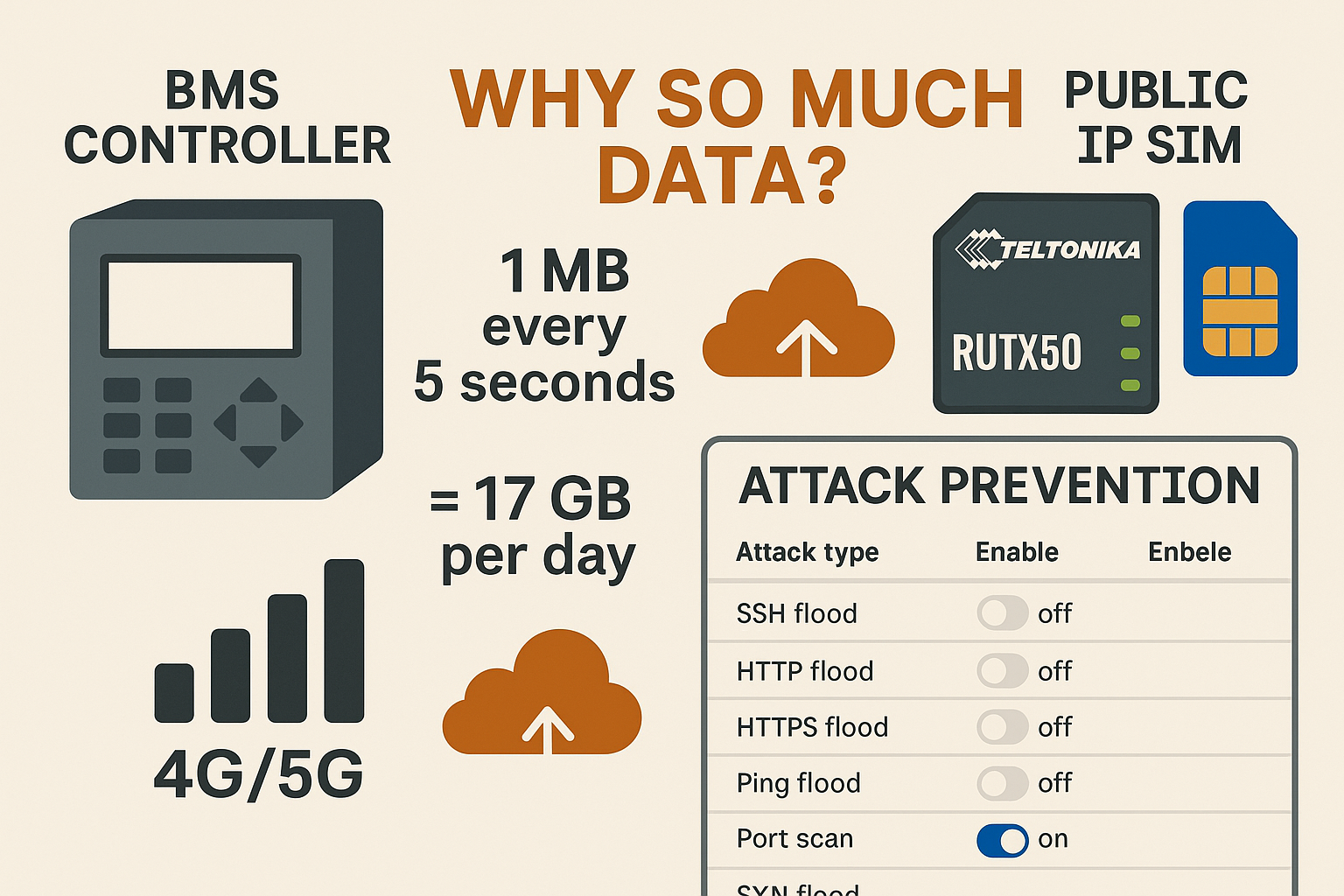
Set payload to 1000 KB and interval to 5 s to see why a single job hits ~17 GB/day. Adjust to mirror your site.
Why usage explodes on cellular
Most BMS/SCADA stacks ship with aggressive commissioning defaults. If nobody dials them back you get constant polling, verbose payloads, busy discovery and heavyweight cloud sync. On Ethernet it’s invisible; on 4G/5G you pay for every byte.
Commissioning leaves 1–10 s polls in place. Use 60–300 s for slow points (temperature, energy) and prefer Change-of-Value with sensible deadbands so only meaningful change transmits.
Uncompressed JSON with long keys, frequent TLS handshakes and one-point messages. Batch points, compress if supported, and keep TLS sessions alive.
Full historian uploads instead of deltas. Schedule overnight or over a non-cellular backhaul. Push aggregates rather than raw streams.
RDP/VNC idles at 50–150 kbps. Always use VPN, set timeouts, and avoid leaving sessions connected all day.
Public IP SIMs: why idle still costs money
A fixed public IP with port forwarding is convenient and noisy. Global scanners probe every reachable IP all day. Even if the firewall drops them, inbound packets still traverse your data plan: SSH brute force, HTTP(S) floods, ICMP sweeps, port scans and SYN floods.
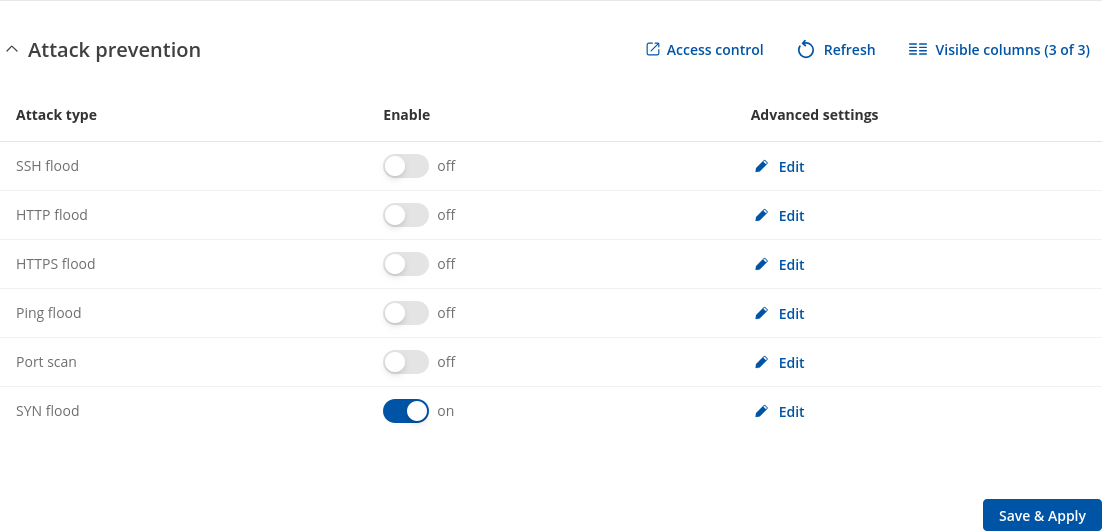
RUTX50 Attack Prevention (what each filter does)
Open Firewall → Security → Attack Prevention. These kernel-level filters block abuse before it hits services or logs. For public IP SIMs, enable them all.
| Attack type | What it blocks | Why it matters on public IP | Default advice |
|---|---|---|---|
| SYN Flood | Limits half-open TCP sessions | Common flood; fills connection tables and wastes inbound data | Leave ON always (all zones) |
| Port Scan | Sequential rapid connection attempts | Culls internet scanners quickly | ON for public IP |
| Ping Flood | Excess ICMP echo requests | Drops ping storms at the edge | ON for public IP |
| HTTP/HTTPS Flood | Request bursts to web UI | TLS floods are expensive; blocks early | ON (or disable WAN UI entirely) |
| SSH Flood | Rapid SSH attempts | Stops brute-force noise | ON if SSH on WAN (better: disable) |
Expected savings: Unprotected public IP routers often idle at 500–1000 MB/day of junk. With Attack Prevention enabled, idle inbound typically drops to 20–80 MB/day; behind private APN/VPN it’s usually <10 MB/day.
What to check in router logs and counters
Daily totals per interface. Watch for high inbound when the BMS is quiet. Configure caps with 50% and 80% alerts.
Live throughput. If LAN is idle but WAN inbound ticks rhythmically, you’re seeing scans/floods.
Look for “flood”, “scan”, “drop”, “invalid”. A steady pattern post-enable is normal and desirable.
Audit forwards; remove anything unused. Change management/UI ports; restrict by source IP where possible.
Best practice (public IP with port forwarding)
- Enable all Attack Prevention filters. Keep SYN Flood on at all times.
- Default-deny inbound. Disable WAN UI/SSH. If unavoidable, move to high ports and restrict by source IP.
- Port-forward only what you must. Avoid 22/80. Prefer VPN; if not, use hardened 443 or a jump host.
- BMS hygiene. COV with deadbands (≈0.3 °C / 2% RH). Polling 60–300 s where required. Batch telemetry; keep TLS alive.
- Keepalives. 60–120 s. Do not stack multiple watchdogs.
- Kill background chat. Disable speed tests, TR-069 diagnostics and OS updates over the SIM.
- Segment LAN. Keep CCTV/staff devices off the BMS VLAN.
- RF quality. Use all 4 antennas (4×4 MIMO), short low-loss coax, good placement (aim RSRP > −90 dBm, SINR > 10 dB).
Frequently asked questions
Why is my BMS using so much mobile data?
Polls too fast, logs too detailed, cloud sync too frequent. One mis-set job can consume 17 GB/day. Fix intervals, enable COV, batch messages.
How much is “normal” per site?
Most tuned sites: 200–400 MB/day. If you’re far above that, it’s configuration or public exposure noise.
What should I enable on the RUTX50?
All Attack Prevention filters. Also default-deny firewall, remove unnecessary forwards, and prefer VPN/private APN.
Public IP vs Private APN?
Public IP is workable but noisy and higher-risk. Private IP/CGNAT with VPN is cleaner, cheaper in data, and easier to secure.
Do the boring basics well and your SIM stops bleeding. The router stays quiet. Alarms stand out. Finance stops panicking.
[…] For a worked example of what happens when router behaviour and connectivity assumptions collide in a real deployment, see Why Your BMS Is Burning Through 4G/5G Data. […]