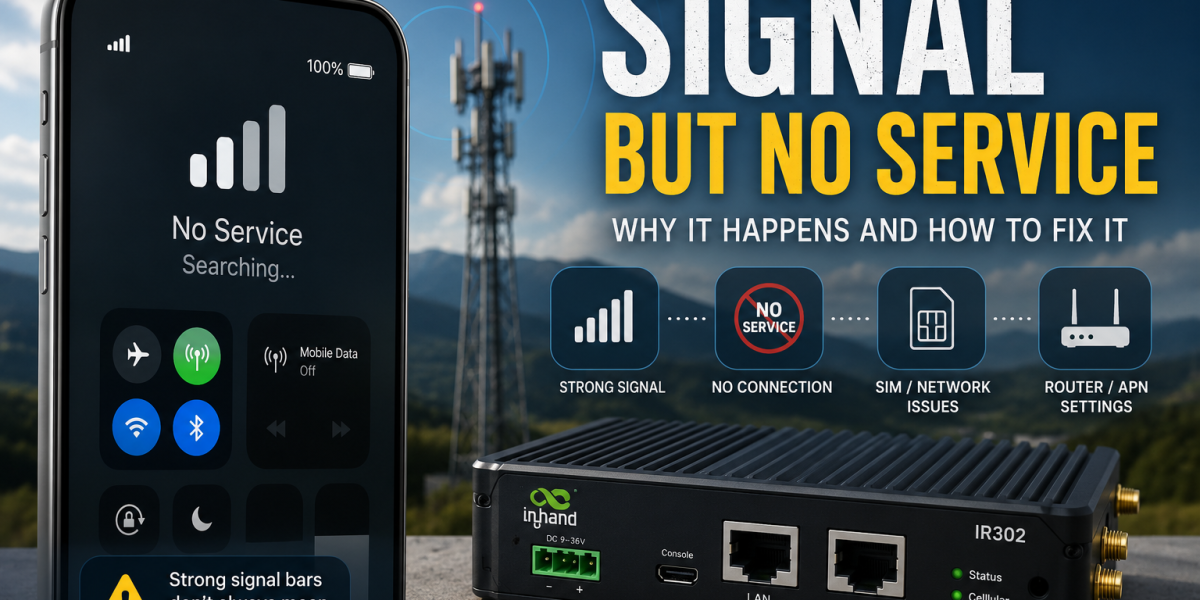
Signal But No Service
How to diagnose a dead IoT site from your desk, layer by layer, before anyone gets in a van.
Answer first: when a site shows signal but will not pass traffic, the fault is almost never the SIM card on its own. It sits somewhere in a stack of layers: radio quality, network registration, network choice, forbidden network memory, data session state, and the antenna feeding all of it.
Work down the layers in order, use your remote management platform properly, and most sites can be recovered without leaving the office. Guess, and you buy a van journey.
Every installer has had this call. It is half four on a Friday. The site is a construction compound, a pumping station, a car park, a plant room. The customer says the cameras are dead. You log into the router. It is online. Signal bars are showing. The SIM portal says active, registered, plenty of data left.
Everything looks fine. Nothing works.
So you reboot the router, because that is what everyone does. It comes back. It still does not work. Or it works for eleven minutes and dies again, which is somehow worse.
This guide is the diagnostic order we use before anyone gets in a van. It is written for the person actually holding the laptop, not the person who wrote the brochure.
Why “it has signal” tells you almost nothing
Signal bars are a marketing invention. They are not a measurement. Different routers calculate them differently, and most of them are generous.
A cellular connection can be broken in at least six places while still showing four bars.
That is why rebooting feels like it works sometimes and does nothing other times. You are not fixing anything. You are rolling dice.
Layer 1: is it connected, or just attached?
Ignore the bars. Get the three numbers that matter. Every industrial router exposes them somewhere, usually on the mobile status page or via the CLI.
| Metric | What it means | Rough guide |
|---|---|---|
| RSRP | Signal strength. How loud the mast is. | Better than -100 dBm is comfortable. Worse than -110 dBm is a problem. |
| RSRQ | Signal quality. How clean it is. | Better than -10 dB is healthy. Worse than -15 dB and you are in trouble. |
| SINR | Signal versus noise. The one that actually predicts throughput. | Above 10 dB is good. Below 0 dB and the connection is nominal at best. |
Here is the bit that catches people out. RSRP and SINR are not the same thing and they frequently disagree.
If SINR is low and RSRP is high, you have an interference or congestion problem, not a coverage problem. More antenna gain will not help. It will amplify the noise along with everything else.
Record the three numbers. Not “signal was fine”. The numbers. You will need them in twenty minutes when you are deciding whether to escalate.
Layer 2: which network is it actually on?
Now find the serving PLMN. Your router will show it as a five or six digit number, something like 23415 or 23430. That is the mobile country code and the mobile network code stuck together, and it is the only honest answer to the question “which network am I on”.
Do not trust the friendly name. Routers get operator names wrong constantly, especially on roaming SIMs, because the name is looked up from a table that may not have been updated since the router firmware was built. The PLMN number does not lie. If you want the full breakdown of how those codes work, and why HPLMN, VPLMN and EPLMN are different things, we cover it in What Is a PLMN?.
Once you know the serving network, ask the obvious question: is this the network I expected?
If it is not, you have learned something important. A multi-network SIM sitting on the one operator with the worst coverage at that postcode is not a broken SIM. It is a SIM doing exactly what it was told to do, which may not be what you were told it would do. That difference is steering, and it is worth understanding before you blame anyone: Steered vs Unsteered Roaming.
The deeper protocol-level explanation of why a device holds onto a mediocre network rather than jumping to a better one is covered thoroughly over on IoTUK, in Why Multi-Network SIMs Do Not Always Switch To The Best Network. If you want the network selection procedure step by step, read that one. It is the engineer’s version of this section.
Layer 3: which networks has it already given up on?
This is the layer nobody checks, and it is responsible for a genuinely daft proportion of “the SIM must be faulty” calls.
When a modem tries to register on a network and gets rejected, it writes that network to a list on the SIM and stops trying. The list is called the FPLMN, the forbidden network list, and it typically holds four entries. Four. On a UK site with four operators, that is the whole country.
The logic is sensible. There is no point hammering a network that has already said no. The problem is that the rejection might have been temporary and the memory is not.
Full detail, including how to read and clear the list, is in What Is an FPLMN? Why IoT SIM Cards Sometimes Refuse to Connect.
Do not power up a router with an unactivated SIM in it. Activate first. Confirm active in the portal. Then power up. This single habit prevents more site revisits than any piece of hardware you can buy.
Layer 4: the reboot that fixes nothing
“Reboot” is five different actions and people use the word for all of them. They are not interchangeable, and picking the wrong one is why the problem comes back.
| Action | What it resets | What it will not touch |
|---|---|---|
| Service restart | Router software, VPN daemon, local processes | Anything at radio level |
| Router reboot | The operating system and all services | Often leaves modem and SIM state intact |
| Modem reset | The cellular module, forces re-registration | The forbidden network list on the SIM |
| Network rescan or manual PLMN select | Forces a fresh evaluation of available networks | Steering rules, roaming permissions, forbidden entries |
| SIM refresh or session reset | Core network session and registration state, from the provider side | Bad antenna, bad coverage, physics |
Look at that table and then look at your ping reboot watchdog. A ping watchdog restarts the router when it cannot reach 8.8.8.8. It does not know why. It does not force a fresh network scan. So the router comes back, attaches to the same PLMN it just failed on, and reports itself online.
The watchdog is not lying. It is answering a question you did not mean to ask.
For a worked example of what happens when router behaviour and connectivity assumptions collide in a real deployment, see Why Your BMS Is Burning Through 4G/5G Data.
Layer 5: use the management platform you are already paying for
This is the layer that separates a five minute fix from a two hour round trip, and it is the one most people underuse.
If the router has any working internet path at all, even a bad one, it can reach its remote management platform. Teltonika RMS and the Milesight Development Platform both work this way. So do the equivalents from Robustel, InHand and the rest. The router phones home. You do not have to phone the router.
That distinction matters enormously. It means you do not need a fixed IP, you do not need an inbound port, and you do not need a VPN tunnel that may itself be the thing that is broken. You need the router to have enough connectivity to say hello. A connection too poor to carry video is often still good enough to carry a management session.
The APN trick that clears a stuck network
Here is the one worth knowing, because it turns an FPLMN problem from a site visit into a config change.
Changing the APN configuration on the mobile interface forces the modem to tear down its data session and re-establish from scratch. Set the APN to auto, apply, let the modem go through a full re-detection cycle, then set your correct APN back and apply again. On many routers this drives a deeper reset of the mobile stack than a plain reboot ever will, and it can shake loose a device that has latched onto a network it should have abandoned.
It is not universal and it is not documented as a repair procedure by anyone. It is a field trick. But it costs you two minutes from a warm chair, and the alternative is a van.
Modem reset from the platform, then network rescan, then the APN auto-and-back cycle, then a provider-side SIM refresh. Each one goes a little deeper into the stack. Do them in order and log what changed after each, because if you do all four at once you will never know which one worked.
The other thing a management platform gives you is history. RMS and the Milesight Development Platform both log signal metrics and connection state over time. That turns “it keeps dropping out” into “it drops out every weekday between 8am and 9am”, which is a completely different problem with a completely different answer. Usually congestion. Occasionally somebody switching on a machine.
When the router itself is the problem
Sometimes the modem is genuinely wedged and no amount of soft resetting will shift it. Firmware bugs exist. Modems lock up. The router sits there, technically alive, radio dead, and every reset command you send is handled by the same software that has already fallen over.
At that point you need to remove power. Properly. Not a reboot command, an actual loss of voltage.
The cheap answer is an SMS-controlled power socket with a low cost SMS-capable SIM in it. They are twenty to forty pounds. The SIM costs pennies a month because it never carries data. You text the socket, the socket cuts power for a few seconds, the router cold boots with a genuinely clean modem.
Put a different network’s SIM in the power switch to the one in the router and you have two genuinely independent paths to the site. When the router’s network has an outage, the socket is still reachable. That is real resilience, built out of one cheap socket and a SIM that costs less than a coffee per year.
For a site that costs three hundred pounds to visit, this maths is not difficult.
Layer 6: the antenna you have been blaming
By now you have probably decided it is the antenna. Sometimes it is. Usually not in the way people think.
The instinct is to fit a higher gain antenna. Gain is not amplification. An antenna is a passive lump of metal. It does not add energy. Gain describes how the antenna reshapes the radiation pattern, and the shaping is a zero sum trade. Narrow the beam and you get more in one direction by getting less everywhere else.
That trade is fine if you have surveyed the site and you know exactly which mast you want. It is actively harmful on a roaming SIM, because you have just made three of your four networks harder to see. You bought a multi-network SIM for flexibility and then aimed a telescope at one operator.
Then there is cable. A 10 metre run of thin coax can eat several dB before the signal reaches the router. People fit a 9 dBi antenna, run it on cheap cable across a plant room, and end up worse off than the stubby whip they started with. The gain went into warming up the cable.
IoTUK has the full argument on this, and it is worth reading before you spend money: The Biggest Myth in the Cellular Antenna Industry.
The practical version: get the antenna outside the metal box, get it high, get it away from the noise, keep the cable short and decent. Position and cable beat gain almost every time.
Layer 7: it was never the SIM, it was the expectation
Some sites are not broken. They are simply not as reliable as somebody promised, and nobody wrote down what “reliable” meant.
If the contract says 99.9% uptime, that is roughly forty three minutes of downtime a month. That is not a lot. It is also not nothing, and it is nowhere near enough for a payment terminal or an alarm path. Nobody notices the gap until an incident, at which point everyone discovers they had different numbers in their heads.
Worth reading before the next SLA conversation: What Does 99.9% Uptime Actually Mean?
If the application genuinely cannot tolerate that, the answer is not a better SIM. It is a second path, a different technology, or a redesign. A single cellular connection is a single point of failure no matter whose logo is on the SIM.
The remote recovery order
Put together, the sequence looks like this. Do it in order. Do not skip to step 7 because you have a hunch.
- Confirm the actual symptom. Offline, or online but useless? Router unreachable, or application unreachable?
- Record RSRP, RSRQ, SINR and the serving PLMN. Numbers, not adjectives.
- Check the SIM portal. Active? Data remaining? Last session? Which network does the portal think it is on?
- Compare the two. If the router and the portal disagree about the network, that disagreement is your fault line.
- Check the management platform history. Has this been degrading for a week, or did it fall off a cliff at 3pm? The shape of the failure tells you the cause.
- Modem reset from the platform. Not a router reboot. A modem reset.
- Force a network rescan, or manually select a different PLMN if the router allows it.
- Try the APN auto-and-back cycle to drive a deeper reset of the mobile stack.
- Ask the provider for a session reset or SIM refresh.
- SMS the power socket for a genuine cold boot if the router is unreachable or wedged.
- Log the before and after state so the next person is not starting from zero.
- Only now consider the van.
Most of the sites we see recovered remotely are recovered somewhere between steps 6 and 10. The ones that need an engineer are almost always antenna, water, or a chewed cable, and you will usually know by step 4.
Before you leave site, write this down
Every one of the diagnostic steps above is faster if the installation was documented. It takes four minutes on the day and saves hours later.
- Router model and firmware version
- SIM ICCID and which slot it is in
- APN in use
- Serving PLMN and the three signal metrics at commissioning
- Antenna type, cable length, mounting position
- A photo of the installation, including the antenna and what is around it
- Whether the router is enrolled on RMS or the Milesight Development Platform, and who has access
- Whether there is an SMS power switch fitted, its number, and its command syntax
- Who has the SIM portal login
That commissioning snapshot is the single most useful thing you can leave behind. When someone rings six months later, being able to say “it was -92 and SINR 14 on 23430 in April, it is now -94 and SINR 1 on 23415” turns a mystery into a five minute conversation.
The honest summary
A multi-network SIM widens the options available to a device. It does not make the decisions for it, and it does not override the radio environment. Reliability comes from the whole stack behaving sensibly together: SIM profile, modem, router configuration, antenna, management platform, provider portal, and a recovery process somebody has actually tested.
The two cheapest additions to any remote site are the ones nobody costs in. Enrol the router on its management platform, because it is usually free or close to it and it is how you fix things without driving. Fit an SMS power switch on anything expensive to reach, because it is the only tool that works when everything else has stopped answering.
None of that is as satisfying as “our SIM always picks the best network”. It is just more true, and it keeps more sites online.
Why does my router show signal but no internet?
Signal presence only tells you the modem can hear a mast. The connection can still fail at registration, network selection, data session, APN routing or VPN level. Check RSRQ and SINR rather than bars, then confirm the device has an active data session and the correct APN.
Why does the SIM work in my phone but not in the router?
Phones have better modems, better antennas, frequent carrier profile updates and easy recovery tools like airplane mode and network reset. Putting a SIM in a phone also usually clears the forbidden network list, which is why the phone test appears to fix things. The SIM is rarely the difference. The device is.
Does rebooting the router clear the forbidden network list?
Usually not. The list lives on the SIM, and a router reboot restarts the operating system rather than clearing SIM-stored state. A modem reset gets closer. Changing the APN to auto and back, a manual network selection, or physically reseating the SIM are more likely to shift it.
Can I fix a stuck router remotely with Teltonika RMS?
Often, yes. As long as the router has any working internet path it can reach RMS, so you can trigger a modem reset, force a network rescan, change the APN configuration or push a firmware update without a site visit. The Milesight Development Platform works on the same principle for Milesight hardware. The limitation is that the router has to be able to reach the platform in the first place, which is why an independent SMS power switch is a sensible backup.
Is an SMS power switch worth fitting?
On any site that is expensive or slow to reach, almost certainly. A basic SMS-controlled socket costs twenty to forty pounds and the SIM inside it costs very little because it never carries data. It gives you a way to force a genuine cold boot when the router’s own software has stopped responding. Put a different network’s SIM in the socket to the one in the router and you also get a second independent path to the site.
My multi-network SIM is stuck on the worst network. Is it faulty?
Almost certainly not. Devices are built to stay attached rather than hop between operators, so a network that is poor but still usable will be kept. Steering rules on the SIM may also prefer that network for commercial reasons. Neither is a fault.
Will a higher gain antenna fix a bad site?
Sometimes, but less often than people hope. Gain narrows the pattern rather than adding power, which can reduce your ability to see other networks. Placement, height and short decent cable usually deliver more improvement than gain.
What should I check first when a site drops offline?
Whether the router itself is reachable, either directly or through its management platform. If it is, the problem is above the radio layer and you should be looking at data session, APN, DNS or VPN. If it is not, you are dealing with radio, registration or power, and the SIM portal is your next stop.
Signal thresholds given here are working rules of thumb for field diagnosis, not specification limits. Exact behaviour varies by modem, band and router firmware. The APN reset technique is a field practice rather than a documented repair procedure, and its effect depends on the router.
Leave a Reply